
Smart Home Setup in Miami: Code & Compatibility 2026
Smart home setup in Miami runs into three layers most national guides never mention. The first is the Florida Building Code 8th Edition and the High-Velocity Hurricane Zone rules that apply to almost every property in Miami-Dade and coastal Broward. The second is the Miami-Dade RER electrical permit scope that any hard-wired smart-home install triggers. The third is what actually keeps working when grid power, internet, or Wi-Fi mesh goes down during a hurricane week. This guide walks through smart home setup in Miami the way Gaven Constructions plans it on real remodel projects — license CGC1524886, verifiable at MyFloridaLicense.com — covering protocol selection, electrical permit scope, HVHZ structural review, and what budget tiers actually cost in a code-compliant install. We'll start with the code reality, move to compatibility (Matter, Thread, Zigbee, Z-Wave) under Miami operating conditions, then close with what "budget-friendly" honestly means in this market.
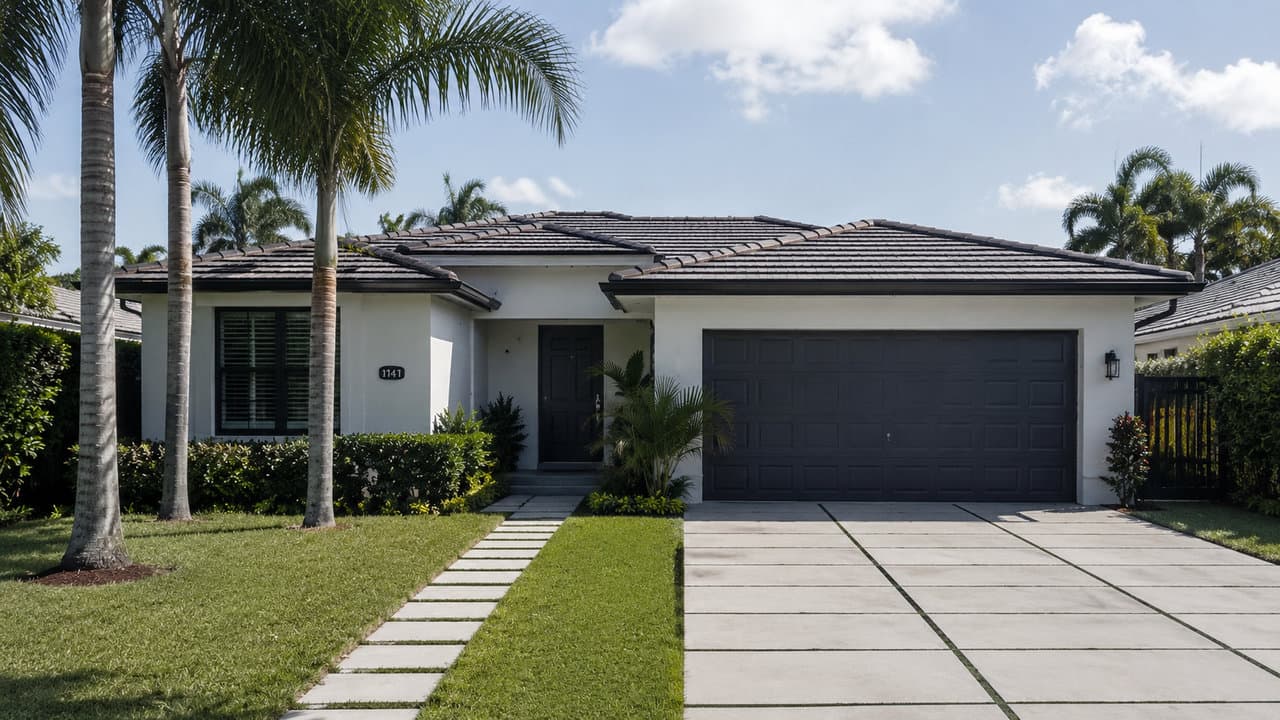
Does a smart home installation need a permit in Miami?
A basic smart home setup using plug-in devices, smart bulbs, or wireless sensors does not require a permit in Miami-Dade or Broward. A smart home installation that touches hard-wired electrical work — replacing wall switches with smart switches, adding new circuits for smart-home hubs, installing wired security panels, or connecting smart appliances on dedicated circuits — requires an electrical permit through Miami-Dade RER or the relevant county building department. Wall-mounted smart-home control panels in High-Velocity Hurricane Zones may also require structural review under Florida Building Code 8th Edition. Smart home setup in Miami should be planned with code compliance in mind, since unpermitted electrical work surfaces at insurance inspections and resale title searches. Gaven Constructions is a Florida-licensed Certified General Contractor, license CGC1524886, verifiable at MyFloridaLicense.com.
Next step: See full kitchen remodel scope in Miami — where smart-home installs most often land at code-compliant scope.
When a smart home setup in Miami actually needs a permit
The permit question splits cleanly on one rule: does the install touch hard-wired electrical work, or doesn't it?
If the answer is no, no permit is required. That covers most of the consumer smart-home market — plug-in smart plugs, smart bulbs that screw into existing fixtures, wireless sensors, video doorbells running on existing low-voltage wiring, voice assistants, smart speakers, robot vacuums, smart locks that replace an existing deadbolt without rewiring. A homeowner can install any of these without involving Miami-Dade RER, Broward Building Code Services, or a licensed electrician.
If the answer is yes, the install requires an electrical permit. The clearest trigger is replacing a standard wall switch with a smart switch that needs a neutral wire — most modern smart switches do. That single swap is hard-wired electrical work. Adding a dedicated circuit for a smart-home hub, a wired security panel, an integrated lighting controller, or a smart appliance on its own line all sit in the same category. So does any in-wall data cabling (Cat6, low-voltage) installed during a smart-home build-out, which carries its own low-voltage permit class separate from the electrical permit.
At Miami-Dade RER electrical permit intake, the items the plans examiner typically asks for on a smart-home retrofit are the existing panel schedule, the planned circuit additions or modifications, the load calculation supporting the additions, and the device list for any wall-mounted equipment that might trigger structural review. On a typical Tier 02 kitchen or bathroom remodel where smart-home work is bundled in, the electrical scope rolls under the broader remodel permit, which simplifies the homeowner's paperwork but does not reduce the inspection layer.
A common point of confusion: "the electrician will pull the permit" sometimes happens and sometimes doesn't. A licensed electrician working independently on a homeowner contract can pull the permit. An electrician working under a general contractor's permit on a remodel does not need to pull a separate one — the GC's permit covers the trade. Asking which arrangement applies before work starts is the simplest way to avoid an unpermitted-work problem six months later.
Electrical scope: NEC Article 220 panel-load math
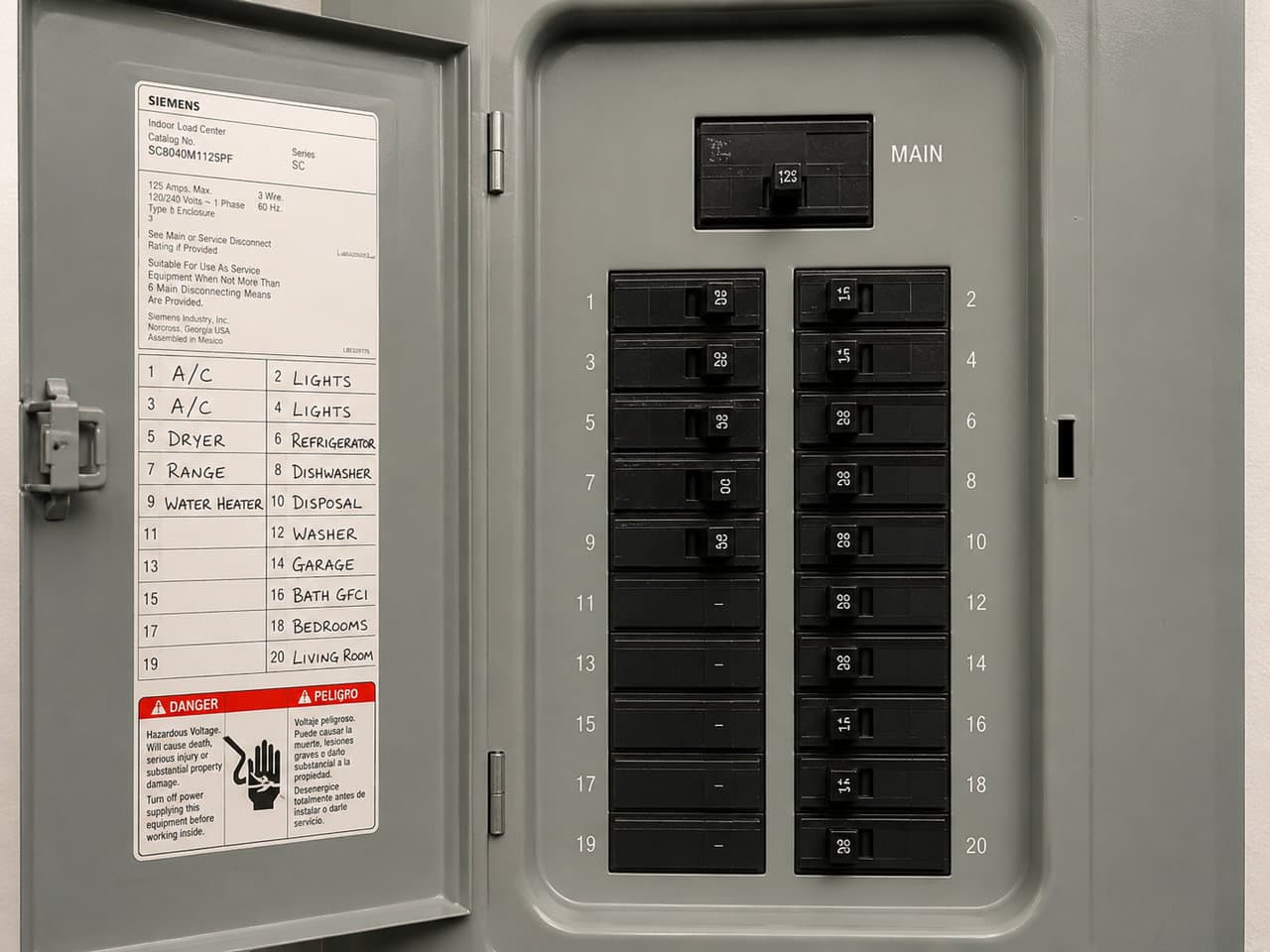
The second layer most smart-home setups in Miami trip over is panel capacity. Older Miami housing stock — 1960s Coconut Grove, 1970s Westchester, 1980s Kendall — commonly carries 100A or 150A service panels. Modern smart-home retrofits push more load through those panels than the original electrical service was sized for.
The rule that governs the math is NEC Article 220 — the National Electrical Code section that covers branch-circuit, feeder, and service load calculations. The key clause for smart-home work is the continuous-load rule: any load expected to run continuously for three hours or more must be sized at 125 percent of its nameplate rating for branch-circuit, feeder, and overcurrent-device sizing. Smart-home loads that qualify include integrated lighting circuits during occupied hours, smart-home server or hub equipment running around the clock, wired security panels with always-on cameras, smart-thermostat-controlled HVAC zoning during cooling season, and any EV charger pre-wire on the same panel.
Stack those loads onto a 100A panel that's already running existing kitchen circuits, a typical HVAC compressor, water heater, and dryer at standard residential demand factors, and the math frequently lands the panel above 80 percent continuous-load capacity. NEC requires the continuous-load buffer specifically because conductors and breakers operating near capacity for hours at a time run hot and shorten their service life. Pushing the panel up to 200A is the standard fix and runs $3,500 to $8,000 in 2026 Miami labor and material, plus the permit cycle through Miami-Dade RER or county building services.
There is a separate panel issue specific to older Miami inventory: Federal Pacific Electric Stab-Lok panels. These were installed widely in U.S. residential construction from the late 1950s through the mid-1980s — including a meaningful slice of Coconut Grove, Westchester, and older Kendall homes. The Consumer Product Safety Commission investigated FPE Stab-Lok breakers in the early 1980s; the investigation closed in 1983 without a formal recall, but independent testing both during and after the CPSC review documented high failure-to-trip rates on Stab-Lok breakers under overload conditions. Inspectors today routinely flag FPE Stab-Lok panels for replacement regardless of load — not because the smart-home retrofit requires it, but because the panel itself is the problem. A homeowner who opens up the wall during a smart-home install and discovers an FPE Stab-Lok panel learns that the planned $800 smart-switch project just became a $5,500 panel-replacement project before any smart-home device gets installed.
On a typical Gaven kitchen remodel walkthrough, the panel inspection is the first thing the electrician opens. If it's a 100A FPE Stab-Lok in a 1960s Coconut Grove single-family, the conversation about smart-home integration changes shape immediately — the panel upgrade is the precondition, not an add-on.
HVHZ structural review for wall-mounted smart-home devices
Miami-Dade County and coastal Broward sit inside the High-Velocity Hurricane Zone — a regulatory boundary defined under Florida Building Code Chapter 16 that imposes higher wind-pressure design standards on building components and cladding. HVHZ rules apply to windows, doors, roof assemblies, and exterior wall systems. They also apply to permanently mounted components on rated wall assemblies, which is where smart-home installations occasionally cross a line homeowners don't expect.
Surface-mounted smart switches and standard wall plates do not generally trigger HVHZ review. Recessed in-wall smart-home control panels and wall-mounted touchscreen hubs that are anchored into the rated wall assembly can. The distinguishing factor is whether the device is treated as a fixed building component (attached to the rated assembly) or as electrical equipment that connects to the assembly through a standard junction box. Most plans examiners read the device size, mounting method, and location relative to exterior wall pressure zones to make the call.
Some manufacturers carry a Notice of Acceptance (NOA) from Miami-Dade Product Control for wall-mounted equipment intended for HVHZ installations; most do not. When NOA documentation isn't available, the structural reviewer either requests engineering substantiation for the mounting method or treats the device the way standard electrical equipment is treated — which usually keeps the install in standard electrical scope. Where the device sits in a windborne-debris-zone exterior wall, the conversation gets longer.
The practical takeaway: any homeowner planning a smart-home build-out that includes wall-mounted control panels in HVHZ should ask the contractor, electrician, or low-voltage installer to confirm the device class and the structural-review path before the wall opens up. Discovering at inspection that the planned wall-mounted hub falls inside HVHZ scope adds weeks to the build calendar.
Compatibility: Matter, Thread, Zigbee, Z-Wave — what each actually means
Once the code and electrical scope is clear, the protocol question is the next decision. Four standards matter in 2026, and they do different jobs.
Matter is the cross-ecosystem standard certified by the Connectivity Standards Alliance. It is not a wireless protocol itself — it runs over Thread or over Wi-Fi as the underlying transport. What "Matter-compatible" actually promises is that the device can join Apple Home, Google Home, Amazon Alexa, and Samsung SmartThings without separate per-ecosystem certification. Matter does not always promise that advanced device features (energy monitoring, adaptive lighting, custom automations) work identically across platforms — sometimes those still require the manufacturer's native app.
Thread is a low-power, IP-based wireless mesh network. Each Thread device extends the mesh, the network self-heals when nodes drop, and the network needs at least one Thread border router to connect to the rest of the home. Border routers are built into Apple HomePod mini, Google Nest Hub (2nd Gen and newer), and Amazon Echo (4th Gen and newer). Thread is the preferred transport for low-power devices like sensors, smart locks, contact sensors, and battery-powered switches.
Zigbee is an older mesh standard that uses the same 2.4 GHz spectrum as Wi-Fi and Thread. It needs a dedicated hub (SmartThings, Hubitat, Aqara, Philips Hue Bridge), it has a deep catalog of devices at lower price points than Matter or Thread equivalents, and it tends to be slower at scene execution than Thread. Zigbee networks are stable but often lock the user into the hub vendor's ecosystem.
Z-Wave runs on a separate sub-GHz frequency, which means it doesn't compete with Wi-Fi for spectrum the way Zigbee and Thread sometimes do. It has longer range per node, a smaller device catalog, and is often the preferred choice for door and window sensors and smart locks where battery life matters most.
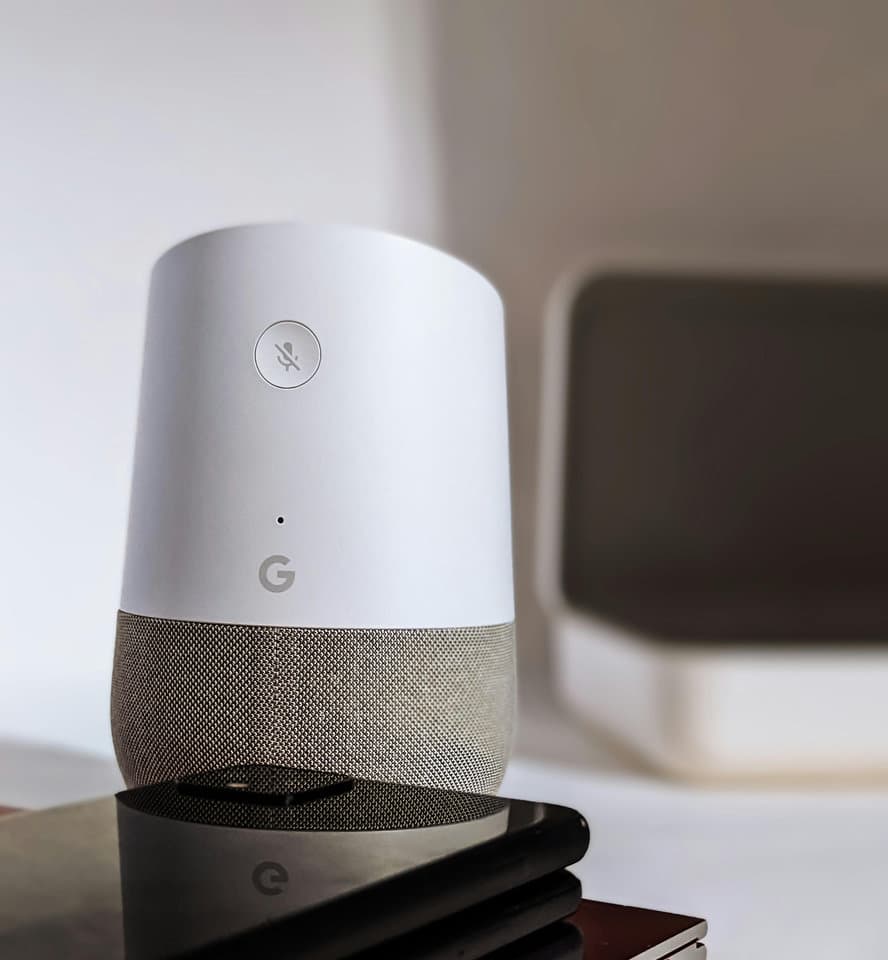
Wi-Fi-only devices are the simplest to install and the most cloud-dependent — which becomes a problem during outages (see next section). On the platform side, Apple Home, Google Home, Amazon Alexa, Samsung SmartThings, and Hubitat all support Matter to varying degrees; the platform choice is primarily a user-experience preference.
Compatibility under Miami operating conditions
Protocol primers from national outlets don't cover what these standards do under Miami's actual operating conditions. Three factors matter locally.
Humidity tolerance. Most modern smart-home hubs and switches are rated to 90 percent relative humidity non-condensing. Miami summer indoor RH commonly hits 65 to 75 percent in homes with standard HVAC, which sits well inside spec. Coastal-facing homes with marginal dehumidification, or homes where the HVAC system shuts down during multi-day outages, push closer to the limit. Hubs installed in unconditioned garages or attic spaces — sometimes done to keep them out of sight — sit outside the spec on most summer afternoons and fail earlier than rated.
Cloud dependency during outages. This is where protocol choice matters most. Smart-home routines and scenes that rely on cloud roundtrips — many Alexa Skills, many Google Home routines, most Wi-Fi-only device apps — stop working when the home loses internet. Local-execution platforms (Apple Home with HomePod hub, Hubitat, Home Assistant) and local-mesh protocols (Matter over Thread, Zigbee with local hub, Z-Wave) keep running lights, locks, sensors, and scenes during a multi-day grid event. During a Category 1 or 2 hurricane, Miami homes commonly lose internet for 24 to 96 hours even when grid power is restored within 12 to 24 hours. A smart-home setup built on local execution stays usable through that window. A cloud-dependent setup goes dark.
Lightning and surge. NWS Miami's lightning climatology documents that Florida leads the U.S. in lightning density, and the Miami–Fort Lauderdale metro ranks among the most lightning-prone U.S. metropolitan areas in Vaisala's annual lightning report. Whole-home surge protection installed at the service panel matters more for smart-home survival than per-device surge strips — a single nearby strike can take out a dozen connected devices simultaneously when the surge travels through the panel. The three failure modes that shorten appliance life in Miami — humidity, salt air, and lightning — hit connected appliances the same way.
These three factors together push the long-term reliability calculation toward local-execution platforms, surge-protected mesh routers on a UPS, and conditioned-space hub placement. National smart-home content treats these as edge cases. In Miami, they're the median operating environment.
Multi-trade permit coordination: what the actual install looks like
When a smart-home build-out lands during a kitchen or bathroom remodel — which is the most common scenario — the install involves three permit-bearing trades and one coordinating layer.
The electrical permit through Miami-Dade RER or Broward Building Code Services covers switches, dedicated circuits, panel work, hub power, and any smart-home device that connects to building wiring. The licensed electrician executes; the permit inspector verifies.
The low-voltage permit covers in-wall data cabling, wired security panels, AV distribution, doorbell wiring, and any structured wiring runs. The low-voltage installer often holds a separate trade license; the inspection class is separate from electrical.
The structural review path activates where HVHZ wall-mounted components apply. If triggered, plans go to Miami-Dade structural reviewer or county equivalent before drywall closes.
The general contractor coordinates the sequence. On a typical Gaven kitchen remodel with smart-home scope bundled in, the order runs: demolition, rough-in inspections (framing, plumbing, mechanical), electrical and low-voltage rough-in inspections in parallel where possible, drywall, finish electrical, smart-home device install and commissioning, final inspections. The GC's permit covers the trade permits, the inspections are sequenced to avoid trades blocking each other, and the smart-home installer is brought in for device commissioning after finish electrical is complete — not during rough-in.
The permit history Gaven brings to this kind of coordination is checkable: 37+ BuildZoom-verified permits across Miami-Dade and Broward, with the inspection record on each one publicly visible. A smart-home install bundled into that kind of multi-trade scope earns the inspection sign-off because the trades are sequenced correctly, the load math is documented before the panel work starts, and the structural-review path is identified before drywall closes — not after.
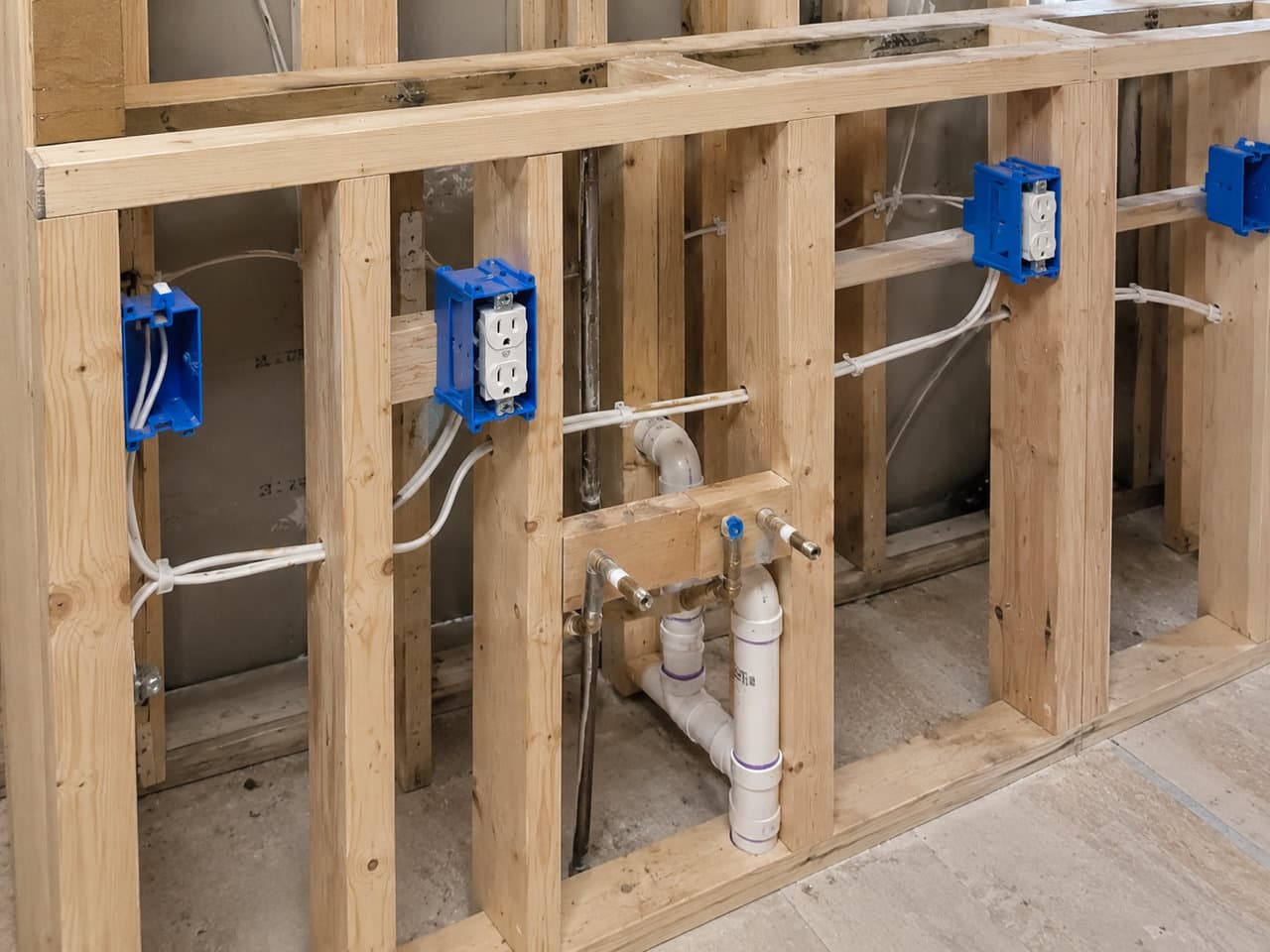
Everything above lands on two trades that get done once, during the remodel, and are expensive to revisit afterward: the circuits and GFCI protection behind the devices, and the lighting layout the automation is supposed to control.
What "budget-friendly" actually costs in Miami
National smart-home content prices these installs as if every house is a single-family in a no-permit jurisdiction with a 200A panel installed in 2018. Miami isn't that house. Honest cost framing splits into four tiers.
| Tier | Scope | 2026 Miami range | Permit required |
|---|---|---|---|
| Plug-in / wireless | Smart plugs, smart bulbs, wireless sensors, voice assistants, video doorbell on existing wiring | $200 – $600 | No |
| Light-touch wired | Smart switches with neutral, professional install, electrical permit, no panel work | $1,500 – $4,000 | Yes — electrical |
| Mid | Smart switches + smart-home hub + 2–4 integrated lighting circuits + Energy Star smart thermostat + hub configuration | $4,500 – $9,000 | Yes — electrical |
| Full integrated | Mid scope + 200A panel upgrade where needed + HVHZ structural review for wall panels + multi-zone HVAC integration + whole-home surge protection — typically bundled into a kitchen or bathroom remodel | $12,000 – $28,000 | Yes — electrical + structural |
The mid tier is where most homeowners actually land when they decide to do the install correctly. The full integrated tier is the answer when the smart-home work runs concurrent with a bathroom remodel or a whole-home renovation scope in Miami — the trade-coordination cost is already absorbed into the larger project, and the marginal smart-home spend is the device cost plus the configuration time.
Two cost notes specific to 2026. First, the Section 232 Presidential Proclamation signed December 31, 2025 primarily targets timber, lumber, and derivative cabinetry products at 25 percent (stepping to 50 percent in January 2027), but the broader 2025–2026 tariff regime has reshaped imported-electronics pricing across the smart-home category. Budget assumptions copied from 2024 national content are stale at the device-cost level — the 2026 smart kitchen appliance lineup shows where current pricing and lead times actually sit. Second, Energy Star-certified smart thermostats and connected lighting qualify for federal energy-efficiency tax credits in some configurations — the credit reduces the effective install cost for the homeowner in the mid and full-integrated tiers.
The $300-install / $4,000-rework trap revisited: the cheap install isn't $300 once it's done correctly. Skipping the permit, the load calculation, the panel-upgrade scope, and the structural-review path doesn't make the install cheaper — it just delays the cost to whenever the next insurance inspection, resale title search, or insurance claim opens the work back up. The honest budget answer in Miami is the tier that matches the work the install actually requires.
Closing — what to take away
Smart home setup in Miami isn't a protocol question, a hub question, or a device question first. It's a code-and-electrical question first, a compatibility question second, and a resilience question third. A code-compliant install built on local-execution protocols, properly sized panel capacity, and whole-home surge protection survives Miami's actual operating environment — humidity, hurricane power events, internet outages, and inspection. A corner-cut install that skips those layers becomes a forced-rework project the next time someone official opens the wall.
The work that does this correctly usually lands during a kitchen or bathroom remodel scope, where the trades, the permits, and the wall openings are already sequenced — smart technology planned into a kitchen and bathroom build covers the protocol and network decisions that belong in that brief. If a Miami remodel is on the calendar and smart-home integration is part of the brief, the planning conversation belongs at the front of the project, not after the drywall is up.
Request a free site visit: contact Gaven Constructions or call (786) 397-8380. License CGC1524886.
Last updated May 2026
Florida Certified General Contractor — CGC1524886